UPS Battery Backup
This collection is empty
FAQ
When it comes to keeping your digital life on life support, the APC Back-UPS Pro 1500VA is the Schwarzenegger of battery backups. This beefy boy packs enough juice to keep your computer, router, and other essential gadgets humming along when the grid decides to take a siesta. With 865 watts of power, it's like having a miniature power plant in your office, minus the smoke stacks and protesting environmentalists. Plus, it's got more outlets than a desperate shopaholic on Black Friday, ensuring all your gadgets stay powered up and ready to roll.
Picture this: You're in the middle of a crucial game of Fortnite, and suddenly, the lights go out. Fear not, young padawan, for your trusty UPS has got your back. Most UPS systems can keep your digital party going for about 5-15 minutes, depending on how many electronic guests you've invited. It's like a time machine, giving you just enough minutes to save your work, shut down properly, or finish that last slice of pizza before the digital apocalypse hits. Remember, though, a UPS isn't a generator on steroids – it's more like a digital life jacket, keeping you afloat just long enough to reach the shore of safety.
Picture this: You're in the middle of a crucial game of Fortnite, and suddenly, the lights go out. Fear not, young padawan, for your trusty UPS has got your back. Most UPS systems can keep your digital party going for about 5-15 minutes, depending on how many electronic guests you've invited. It's like a time machine, giving you just enough minutes to save your work, shut down properly, or finish that last slice of pizza before the digital apocalypse hits. Remember, though, a UPS isn't a generator on steroids – it's more like a digital life jacket, keeping you afloat just long enough to reach the shore of safety.
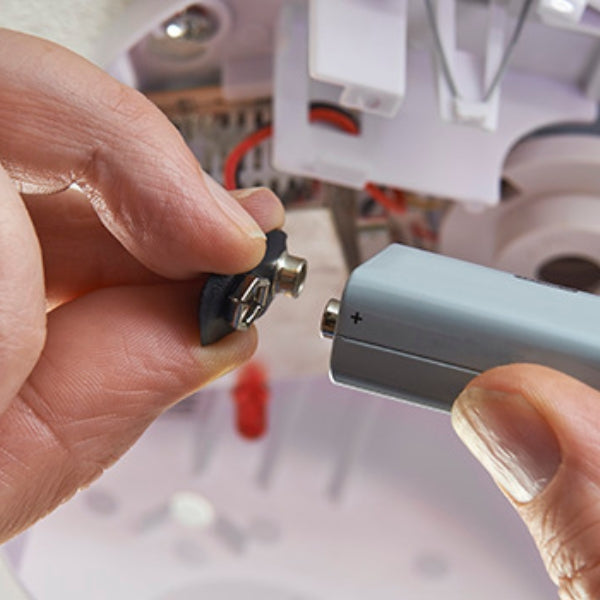
Absolutely! Replacing a UPS battery is easier than convincing your cat it doesn't need a third breakfast. Most UPS systems are designed with battery replacement in mind, like a hermit crab switching shells. Simply pop open the case, disconnect the old battery, and slide in the new one. It's like a heart transplant, but with less drama and more watts. Just make sure you get the right battery model – mixing and matching batteries is about as successful as wearing socks with sandals. And remember, always unplug the UPS before you start playing battery surgeon. Safety first, folks!
Standby and online UPS are like the tortoise and the hare of the power backup world. A standby UPS is your everyday Joe, chilling out until the power goes out. Then it springs into action faster than you can say "where's my flashlight?" switching to battery power in milliseconds. It's perfect for most home and small office setups. On the other hand, an online UPS is the overachiever of the bunch. It's always on, constantly conditioning and regulating power, like a helicopter parent for your electronics. This makes it ideal for sensitive equipment or places where power quality is about as reliable as a chocolate teapot. The trade-off? Online UPS systems are usually bulkier and pricier, but hey, perfection comes at a cost.
Maintaining a UPS battery is like nurturing a high-maintenance plant – it needs the right environment and regular TLC. First, keep your UPS in a cool, dry place. Batteries and heat go together like ice cream and sun – it's a melty disaster. Next, give your UPS a workout at least once a month by letting it run on battery power. It's like taking your car for a spin to keep the engine from turning into a fancy paperweight. Also, keep those battery terminals clean – dust and corrosion are the kryptonite of good connections. Lastly, remember that even with the best care, UPS batteries have a lifespan of about 3-5 years. After that, they're ready for retirement, much like that pair of lucky underwear you've had since college. Time to let go and upgrade!