





FAQ
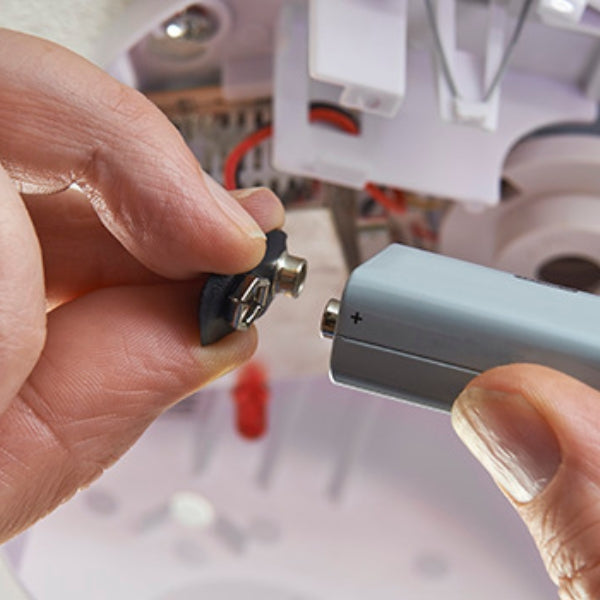
Ah, the joys of installing batteries in an APC rack mount UPS – it's like a high-stakes game of Tetris, but with more potential for electric shocks. First things first, power down your UPS and unplug it from the wall. Safety first, folks! Now, slide that bad boy out of the rack like you're pulling a hot tray of cookies from the oven. Locate the battery compartment – it's usually hiding behind a front panel that's begging to be popped off. Once you've exposed the battery innards, disconnect the old batteries. They're probably connected with quick-release connectors, but don't get too excited – "quick" is a relative term here. Carefully remove the old batteries, channeling your inner bomb disposal expert. Now, slide in the new batteries, making sure they're oriented correctly. It's like putting together a puzzle, except this puzzle can power your entire server room. Reconnect the batteries, double-checking that everything's snug and secure. No one wants a loose connection causing a power hiccup during the season finale of your favorite show. Finally, close up the battery compartment, slide the UPS back into the rack, and power it up. Voila! You've just given your UPS a new lease on life, and you didn't even need to call in the IT cavalry.
Mounting a rear bike battery rack is like giving your trusty two-wheeler a power-up in a video game. First, choose a rack that's compatible with your bike and battery – it's not a one-size-fits-all situation, folks. Now, let's get down to business. Start by removing your rear wheel. Yes, it feels wrong, but trust the process. Locate the mounting points near your rear dropouts – they're like secret passages in a castle, but for your bike. Attach the lower support arms of the rack to these points, but don't tighten them yet. You want some wiggle room for adjustments. Next, find the upper mounting points near your seat stays. If your bike doesn't have these, don't panic – you can use P-clamps or other adapters. Secure the upper part of the rack to these points, again leaving some slack for adjustments. Now, it's time to play bike chiropractor. Adjust the rack so it's level and straight – a crooked rack is about as useful as a chocolate teapot. Once you're happy with the positioning, tighten all the bolts. Reattach your rear wheel, and voila! You've just transformed your bike into an electric steed. Just remember, with great power comes great responsibility – and the need for a good bike lock.
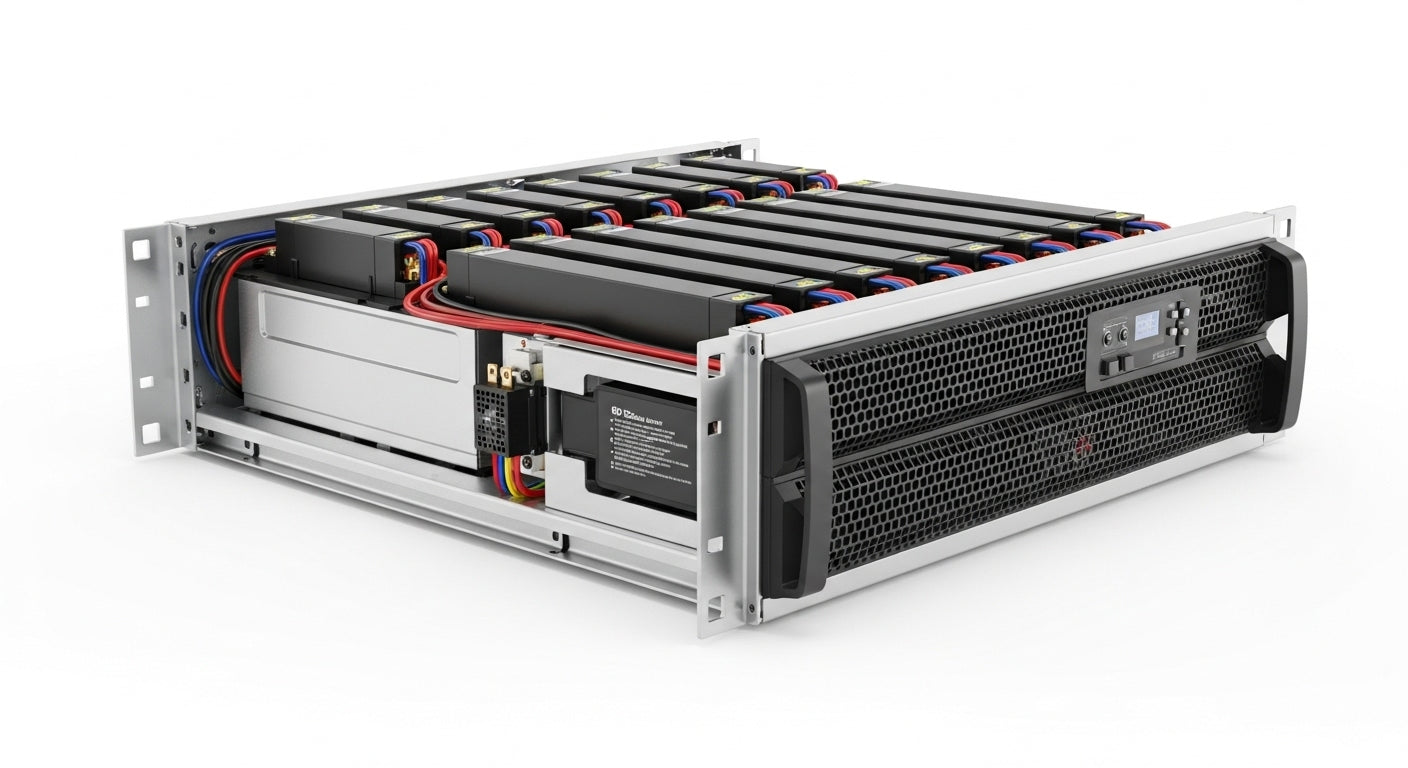
Rack mounted batteries are the unsung heroes of the power world, like roadies at a rock concert – essential, but often overlooked. First off, they're space-savers extraordinaire. In a world where square footage is more precious than a vintage Star Wars action figure, these batteries slide neatly into standard 19-inch racks, leaving more room for your IT team's foosball table. But wait, there's more! These batteries are modular, meaning you can add or remove them faster than you can say "power outage." It's like having a customizable power buffet at your fingertips. Need more juice? Just slide in another battery. Power demands decreased? Remove a few and use the extra space for your collection of cat memes. Maintenance is a breeze too. With easy access and hot-swappable designs, you can replace batteries without powering down your entire system. It's like changing a tire without stopping the car – impressive, right? Let's not forget about monitoring. Many rack mounted batteries come with built-in management systems, giving you more data than you can shake a stick at. It's like having a crystal ball for your power supply, predicting issues before they become problems. Lastly, they're scalable. As your power needs grow, your battery system can grow with you. It's like having a power supply that hits the gym regularly, always ready to pump up when you need it. So, whether you're running a small business or a data center the size of a football field, rack mounted batteries have got your back – and your servers.
Choosing the best rack mounted battery for backup power is like picking the perfect cheese for your charcuterie board – it depends on your taste, budget, and how much you want to impress your guests (or in this case, your IT department). For the crème de la crème of rack mounted batteries, look no further than the APC Smart-UPS SRT series. These bad boys are the James Bond of backup power – smooth, reliable, and always ready for action. They offer true sine wave output, which is music to the ears of sensitive equipment, and come with a management interface that's more intuitive than your smartphone. If you're looking for something a bit more budget-friendly without sacrificing quality, the CyberPower OR series is your go-to. It's like finding a designer outfit at a thrift store – great value without compromising on style (or in this case, performance). These units offer line-interactive topology and a compact design that'll make your rack look sleek and organized. For those who need serious power in a compact package, the Eaton 9PX series is worth considering. It's like having a bodybuilder in a business suit – powerful, professional, and surprisingly flexible. With high efficiency ratings and hot-swappable batteries, it's a favorite among IT professionals who demand the best. Don't forget about the Vertiv Liebert GXT5 series. These units are like the Swiss Army knife of rack mounted batteries – versatile, reliable, and ready for anything. With features like unity power factor and advanced battery management, they're a solid choice for businesses of all sizes. Remember, the best battery for you depends on your specific needs. Consider factors like power capacity, runtime, scalability, and management features. And always, always read reviews from fellow IT warriors who've been in the trenches. After all, in the world of backup power, reputation is everything.
Looking for reliable rack mounted batteries is like hunting for the perfect avocado – you want something that's ripe, ready to use, and won't let you down when you need it most. Fortunately, unlike avocados, good rack mounted batteries are a bit easier to come by. First stop on our battery buying bonanza: Amazon. Yes, the everything store also dabbles in serious IT hardware. It's like finding a gourmet restaurant in a mall food court – unexpected, but often delightful. You'll find a wide range of options from top brands like APC, CyberPower, and Tripp Lite. Plus, with user reviews at your fingertips, you can get the scoop from fellow IT aficionados before making your purchase. For a more specialized experience, check out CDW. It's the Hogwarts of IT equipment – a magical place where tech dreams come true. Their selection of rack mounted batteries is extensive, and their staff knows their UPS from their elbow. They offer competitive prices and often have deals that'll make your CFO do a happy dance. Don't overlook B&H Photo Video. Yes, they're known for cameras, but their pro audio/video section is a treasure trove of rack mounted goodies. It's like finding out your favorite coffee shop also serves gourmet meals – a pleasant surprise for those in the know. For those who like to keep it old school, consider reaching out directly to manufacturers like APC, Eaton, or Vertiv. It's like buying farm-fresh eggs straight from the chicken coop – you know exactly where your product is coming from, and you might even score some insider knowledge or special deals. Lastly, if you're feeling adventurous, check out specialized online retailers like UPS Battery Center or BatterySpec. These sites are like the speakeasies of the battery world – not as well-known, but often hiding some real gems. Remember, wherever you choose to buy, make sure to check the warranty, return policy, and shipping details. After all, a great deal on paper isn't so great if your new battery arrives looking like it took a detour through a demolition derby.
Installing a rack mounted battery system is like assembling a high-stakes LEGO set – it requires patience, precision, and a healthy respect for electricity. Let's dive in, shall we? First things first, channel your inner boy scout and be prepared. Gather all your equipment, read the manual (yes, really), and clear your schedule. This isn't a task to tackle while binge-watching your favorite show. Start by powering down and unplugging any connected equipment. Safety first, folks – we're not trying to recreate that scene from "Back to the Future" here. Next, determine where in your rack the battery system will live. Ideally, it should be towards the bottom for stability reasons – think of it as the anchor of your IT ship. Now, it's time to play Tetris with your rack. Install any mounting brackets or rails that came with your system. These are like the training wheels of your installation – they keep everything stable and aligned. Carefully slide the battery modules into place. This is where those gym sessions pay off – these babies can be heavy. Make sure each module clicks securely into position. It's like playing a very expensive game of Connect Four. Once the physical installation is complete, it's time for the fun part – wiring! Connect the battery modules to each other and to the main power distribution unit. Double-check every connection – a loose wire here is about as welcome as a typo in your resume. Next, connect your battery system to your equipment. This might involve some creative cable management – think of it as an opportunity to showcase your inner Marie Kondo. Finally, power up the system and run any included diagnostic tests. Watch those LEDs light up like a Christmas tree – if all is well, they should be giving you the green light (literally). Remember, if at any point you feel out of your depth, don't hesitate to call in the professionals. There's no shame in admitting that your expertise lies more in using the equipment than installing it. After all, you wouldn't perform your own root canal, would you?