FAQ
In the ever-evolving world of home security, smart door locks have become the new cool kids on the block. But which one reigns supreme? The August Wi-Fi Smart Lock takes the crown, combining sleek design with top-notch functionality. This bad boy works with your existing deadbolt, so you don't need to be a DIY guru to install it. It's got Wi-Fi built-in, meaning you can control it from anywhere without extra hardware. Plus, it plays nice with Alexa, Google Assistant, and HomeKit. So, whether you're a tech whiz or just looking to upgrade your front door game, the August Wi-Fi Smart Lock has got you covered.
Ah, the age-old battle of keyless vs. traditional locks. It's like choosing between a flip phone and a smartphone – both'll get the job done, but one's got a bit more pizzazz. Keyless locks offer convenience (no more fumbling for keys!), customizable access codes, and remote control options. Traditional locks, on the other hand, are reliable, don't need batteries, and are generally cheaper. Your choice boils down to your lifestyle and tech comfort level. If you're always misplacing keys or want to grant temporary access to guests, go keyless. But if you prefer the tried-and-true method and don't want to worry about dead batteries, stick with traditional. Either way, your door will thank you for the attention.
Smart locks vs. regular locks – it's like comparing a high-tech fortress to a medieval castle. Both can keep the baddies out, but they've got different tricks up their sleeves. Smart locks offer advanced features like automatic locking, activity logs, and remote access control. They can alert you when someone enters or if there's suspicious activity. However, they're not immune to hacking or power outages. Regular locks, while simpler, can't be hacked and don't rely on electricity. They're also typically more resistant to physical attacks. The verdict? Smart locks can be more secure in some ways, but they're not foolproof. The best security comes from using smart locks in conjunction with other security measures, like cameras and alarm systems. It's all about creating a multi-layered defense that would make Fort Knox jealous.
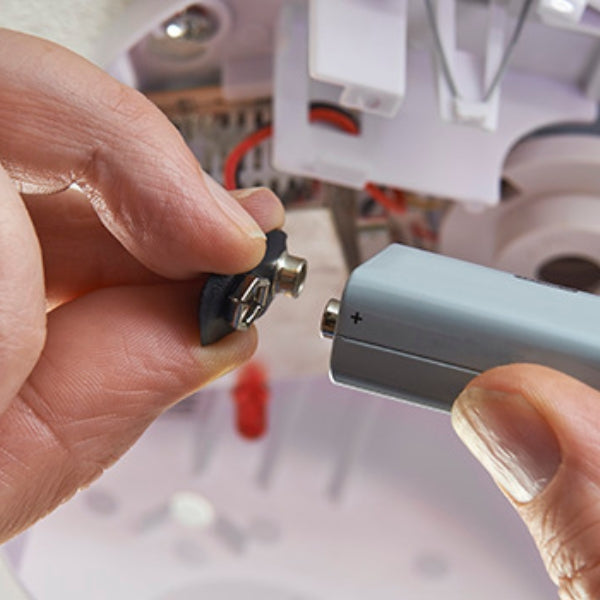
Installing a digital door lock isn't rocket science, but it's not exactly a walk in the park either. First, channel your inner handyman and gather your tools – screwdriver, drill, and maybe a stiff drink for courage. Remove your old lock (bid it a fond farewell) and check if your new digital lock fits the existing holes. If not, it's time to get drilling. Follow the manufacturer's instructions like they're the holy grail – each lock is a unique snowflake with its own quirks. Install the exterior and interior components, connect the wires (if any), and secure everything in place. Finally, insert the batteries and program your lock. Voila! You've just leveled up your door game. If all this sounds like trying to decipher ancient hieroglyphs, don't hesitate to call a professional. Sometimes, admitting defeat is the smartest move.
Fingerprint door locks are like having a tiny, high-tech bouncer for your home. First off, they're uber-convenient – no more fumbling for keys or remembering codes. Your finger is your key, and unless you're planning a heist, you're not likely to forget it at home. These locks offer top-notch security too. Unlike keys that can be copied or codes that can be guessed, your fingerprint is uniquely yours. Many models can store multiple fingerprints, so you can grant access to family members or trusted friends without handing out keys like Halloween candy. They often come with audit trails, so you can see who's been coming and going. And let's be honest, there's a certain James Bond coolness factor to unlocking your door with just a touch. It's like living in the future, minus the flying cars and robot butlers.
Resetting an electronic door lock is like giving your door a mini brain transplant. The exact process varies depending on your lock's make and model, but here's the general gist. First, locate the reset button – it's usually hiding on the interior side of the lock, playing hard to get. Press and hold this button until the lock throws a little light show or beeps at you. This is the lock's way of saying, "Okay, I'm ready for a fresh start." Now, enter your new master code. Choose something memorable but not obvious – your birthday is about as secure as a screen door on a submarine. Once you've entered the code, the lock should give you another signal to confirm the reset. And voila! Your lock has been reborn, ready to guard your domain with renewed vigor. If all else fails, consult the user manual (you know, that booklet you tossed in a drawer and forgot about) or the manufacturer's website. They usually have step-by-step guides that even a technophobe could follow.